Image to Image—The AI Image-to-Image Editor and AI Photo Editor
Browser-based AI photo editor for image to image transformation. Upload a photo, then restyle it, swap the background, fuse references, or edit it in plain English — image-to-image results in seconds, with text-to-image when you start from scratch.
Get inspired with prompt-ready Image To Image transformation examples
Get Inspired
Prompt-ready visual directions generated from real Image To Image prompt examples.
03 · Workflows
What Designers Build with Image To Image
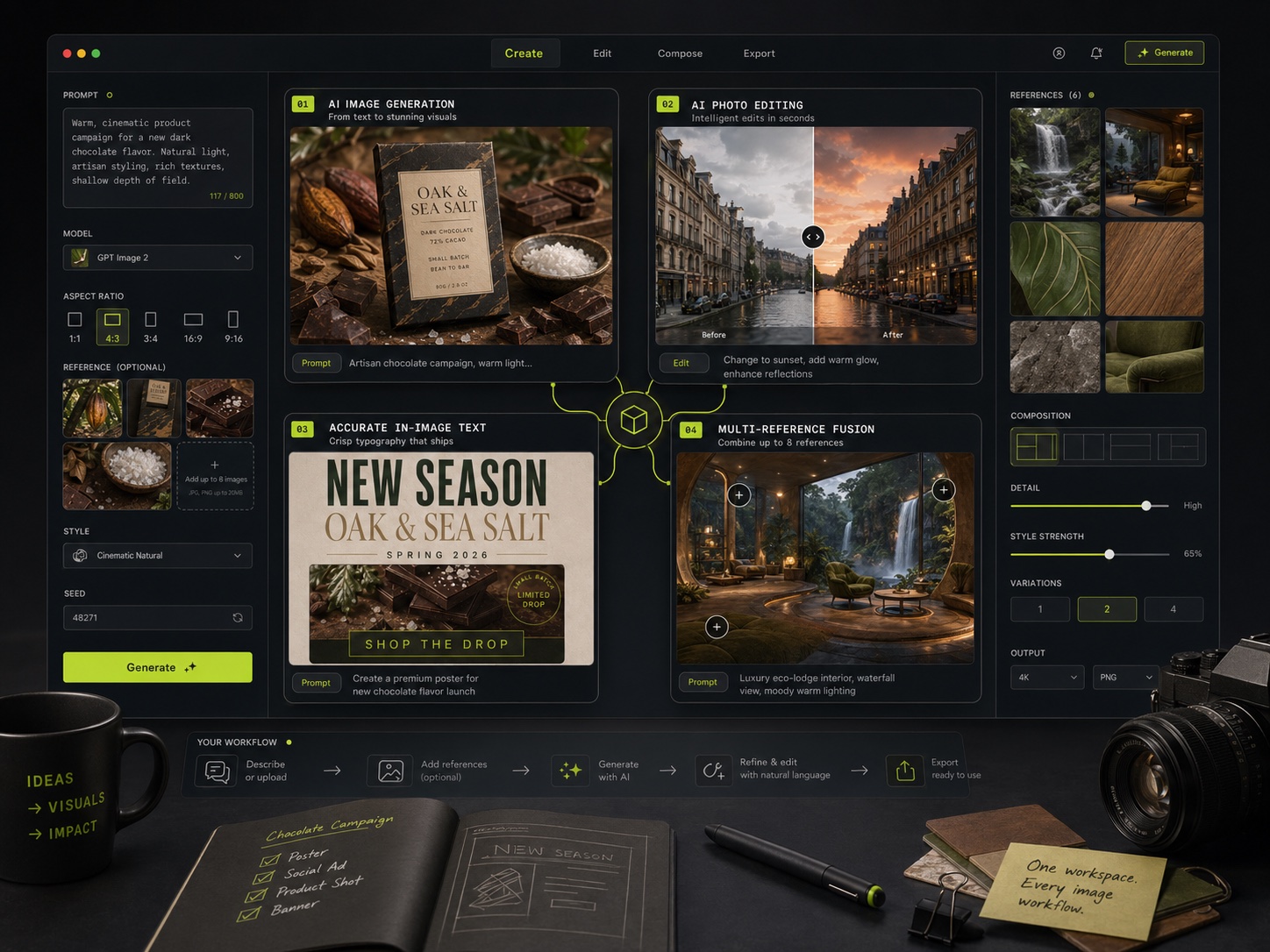
Four image to image workflows the AI photo editor handles every day — restyling photos, swapping product backdrops, keeping characters consistent across frames, and editing shots in plain English. Every transformation starts from an image you upload, all inside one workspace.
01
Restyle Any Photo — Image-to-Image Style Transfer
Upload a photo and the style-transfer engine repaints it in any direction you describe — oil painting, anime cel, 3D render, vintage film. This image to image workflow keeps the original composition and subject intact while swapping the entire art style, so a single source shot becomes a whole campaign of on-brand looks in one pass.
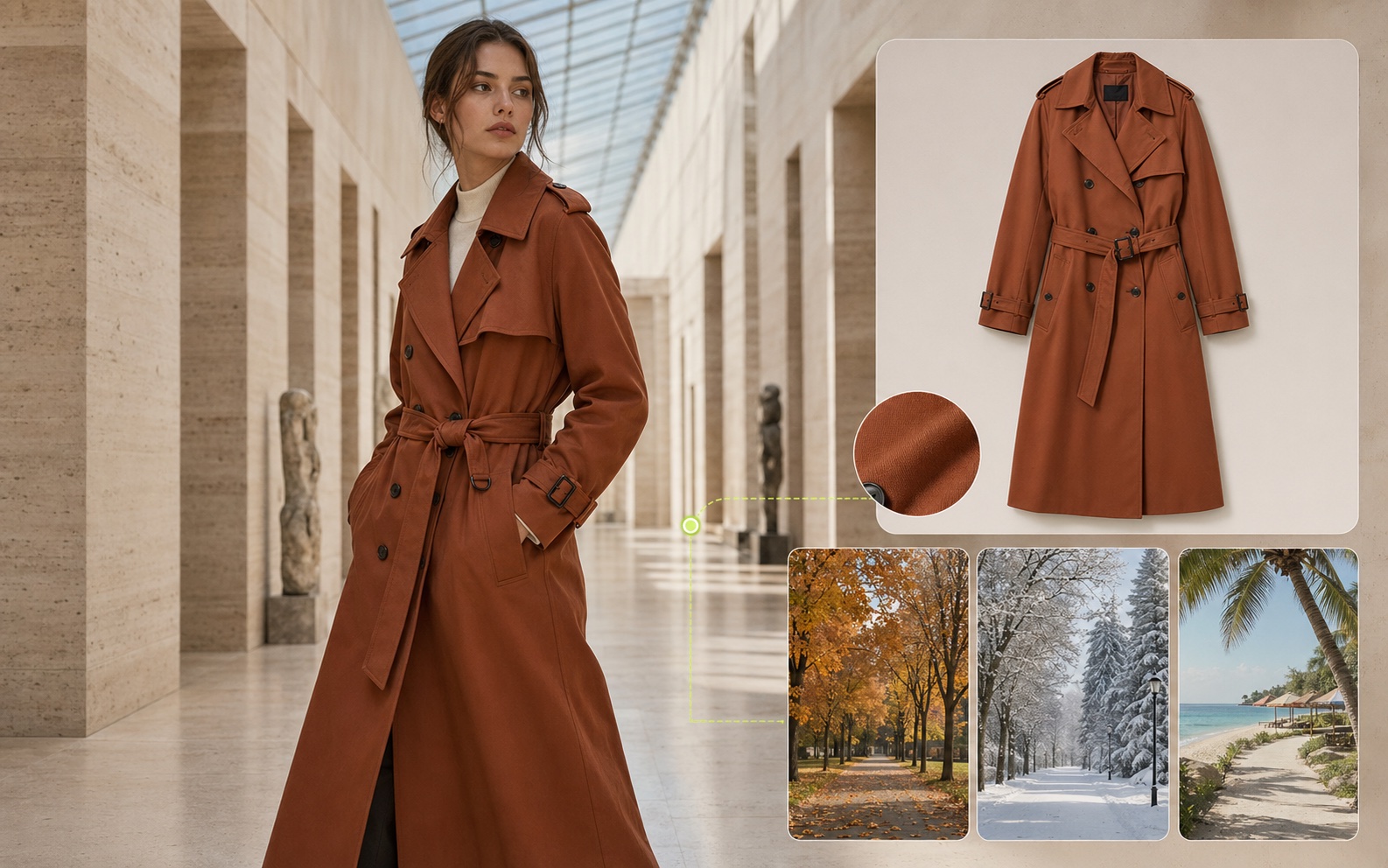
Drop in a product or model photo and the AI photo editor swaps the backdrop for seasonal launches, generates virtual try-on shots for new SKUs, and produces lookbook variants — replacing the studio booking, the product photographer, and the manual background cleanup. Image-to-image reference fusion keeps the product looking identical across every backdrop.
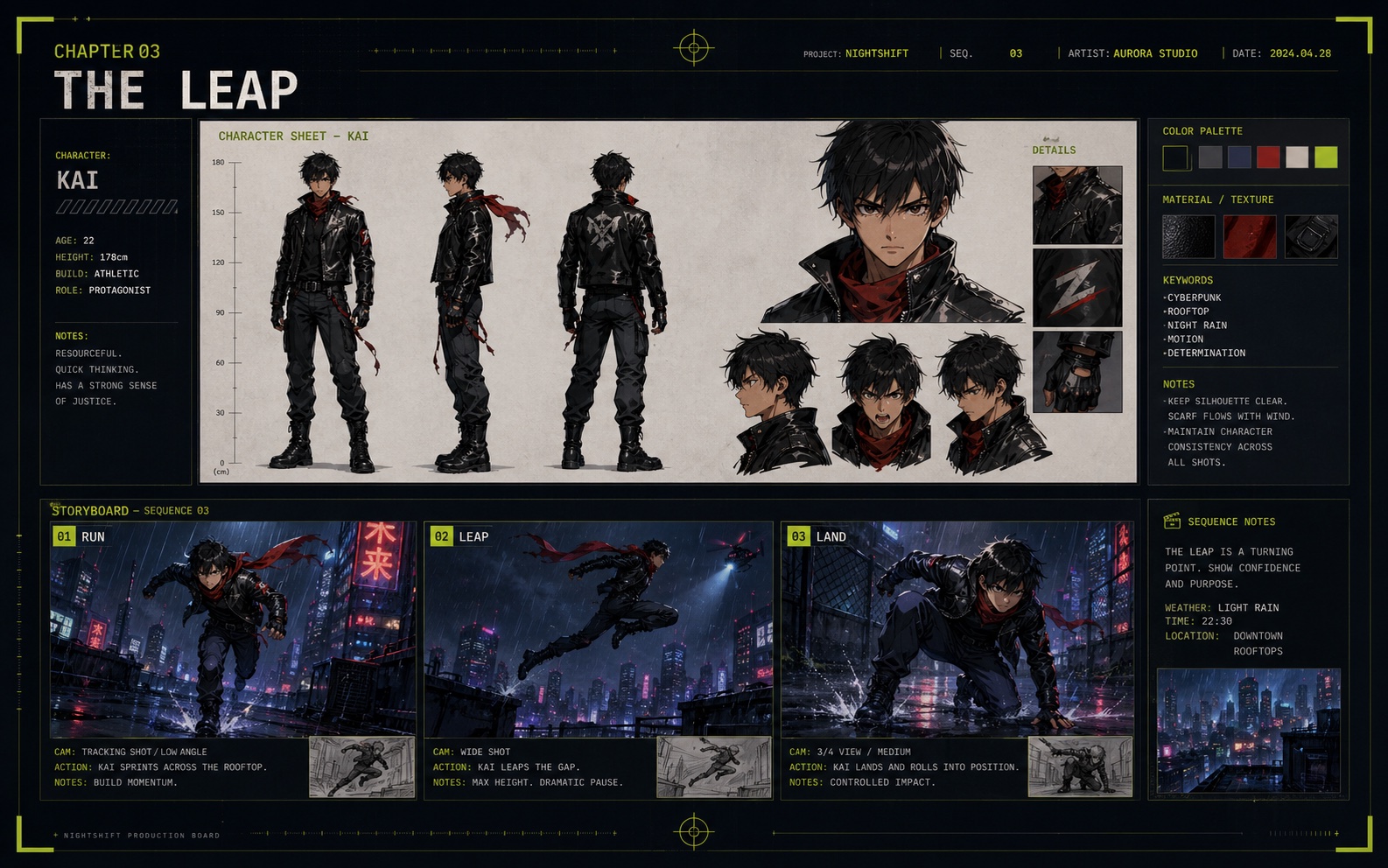
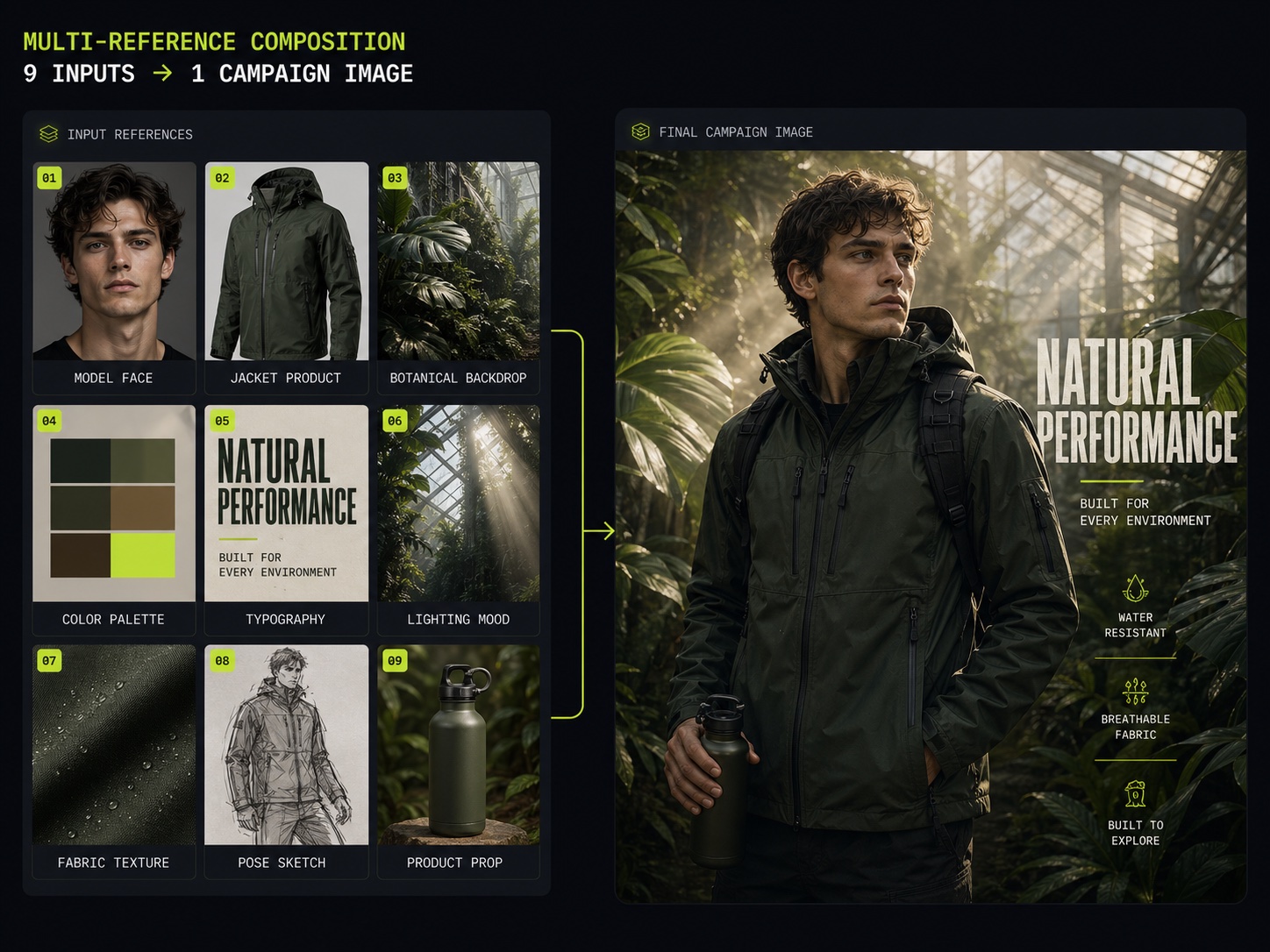
Lock subject identity across up to nine reference inputs — a real production asset for indie comics, animation pre-production, and game concept work. Upload a hero character once and the image-to-image engine carries outfit, palette, and facial geometry steady through an entire storyboard. The same character, every frame, transformed from one reference set.
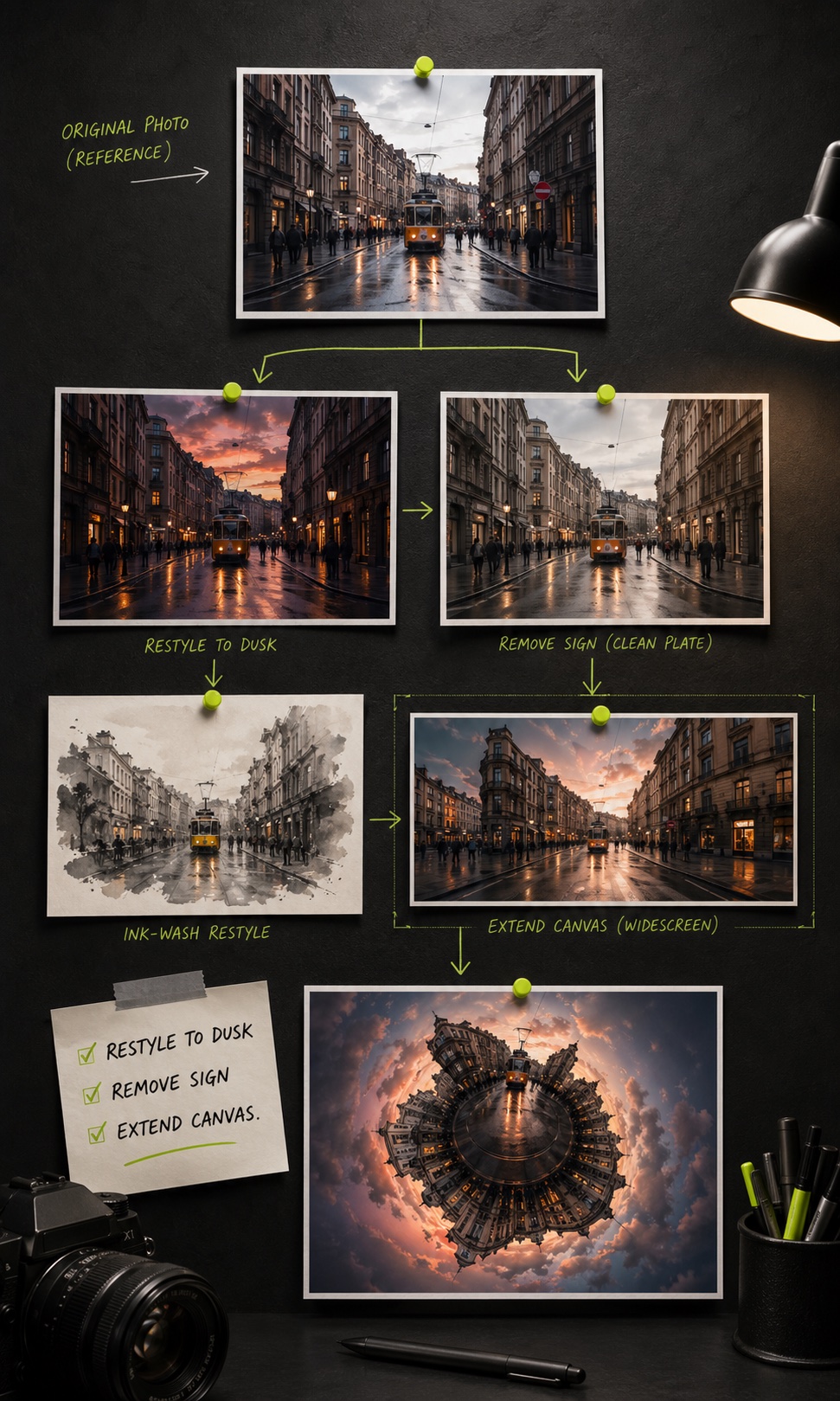
Open any photo in the Image To Image AI photo editor and describe the change in plain English. Restyle as a wash painting, switch the sky to dusk, remove background objects, transform perspective into a tiny-planet view, extend the canvas to widescreen. It handles localized inpainting and full-image restyles — no masks, no layer panels, no separate Photoshop session.
Image to Image is a professional AI photo editor and image-to-image transformation tool in one workspace. Upload a photo and it restyles it, swaps backgrounds, fuses multiple references (up to 9 inputs), and applies natural-language edits — with text-to-image generation up to 4K when you start from a blank prompt. Built for designers, marketers, and product teams who ship campaign-quality visuals on a deadline.
Image-to-Image Transformation
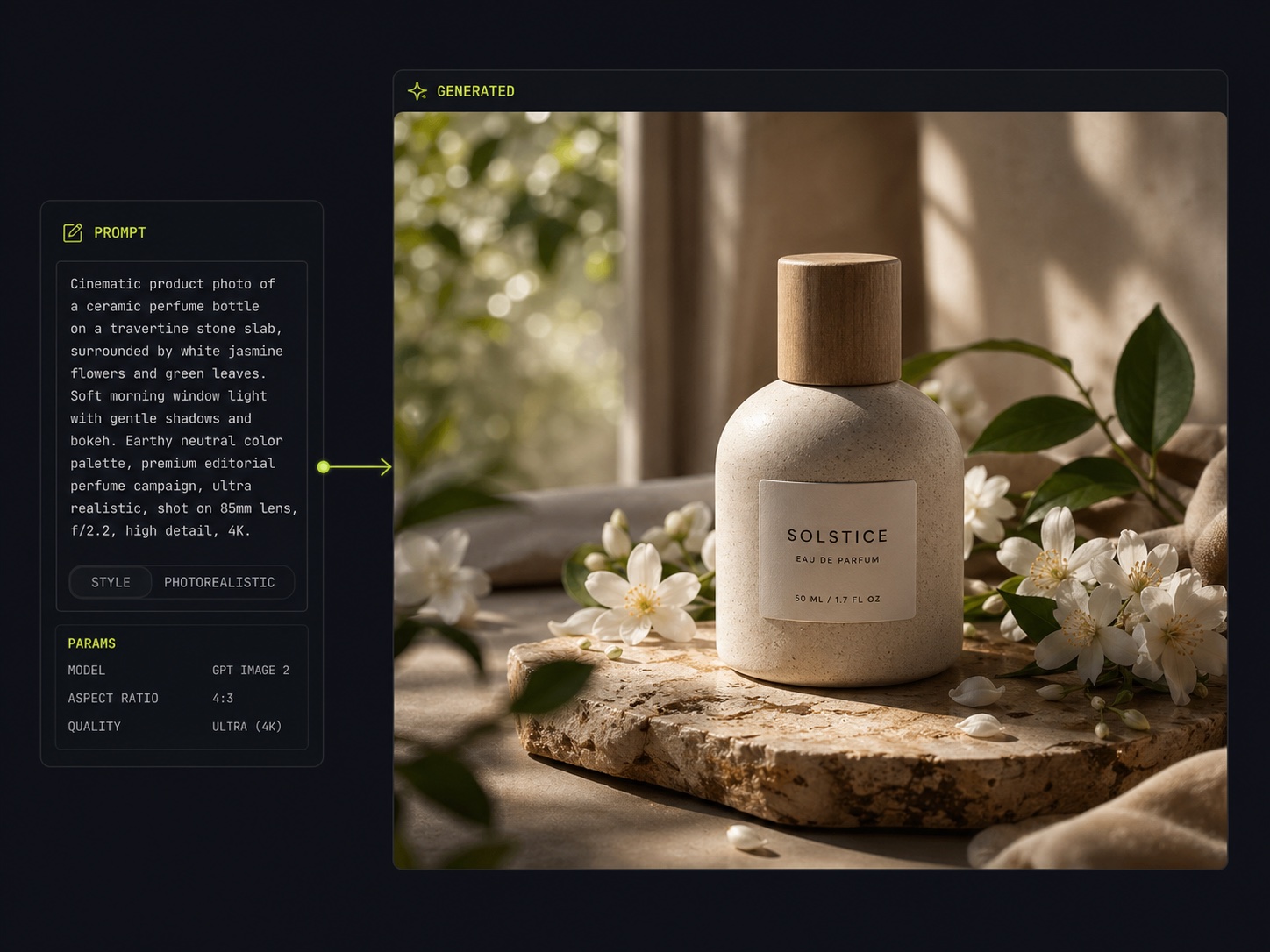
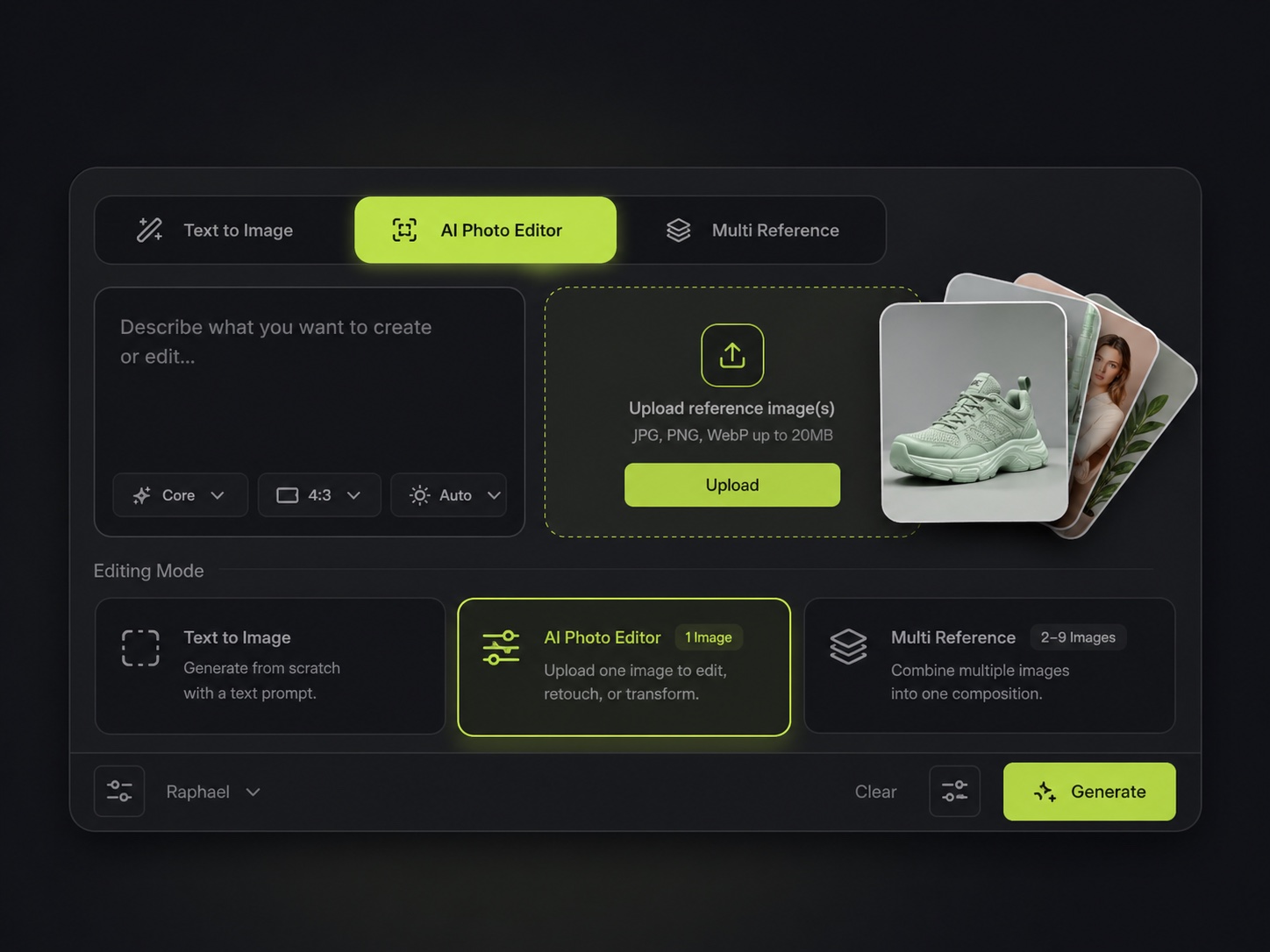
Upload a source photo and transform it on command — restyle it, change the setting, or fuse it with reference frames while preserving the subject. This is the core image to image workflow: your picture in, a new version out, no blank-canvas guesswork.
Inline AI Photo Editor
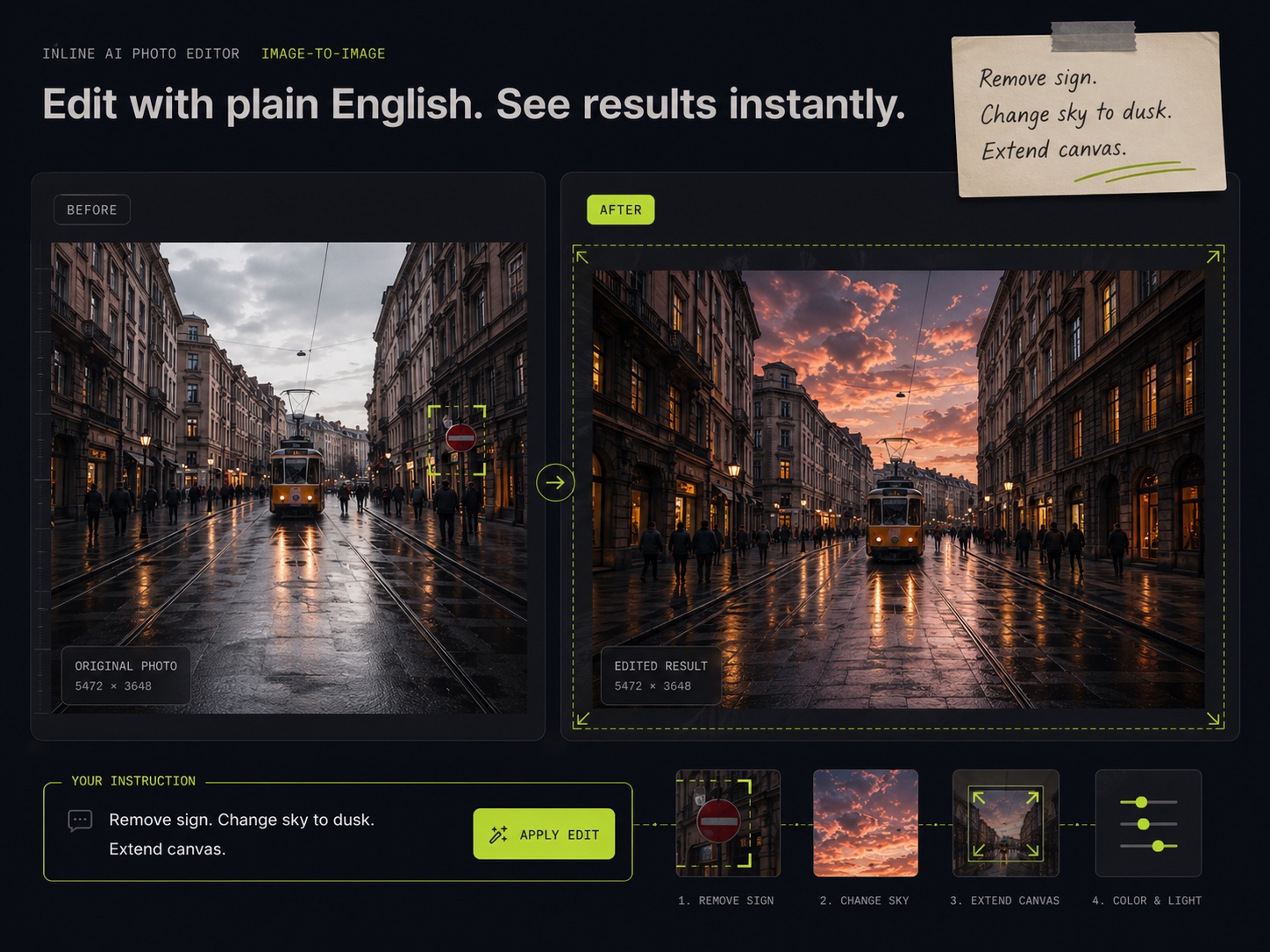
Upload any image and instruct the AI photo editor in plain English. Object removal, background swap, restyle, canvas extension — all happen inline through the image-to-image engine, no manual masks or selection tools required.
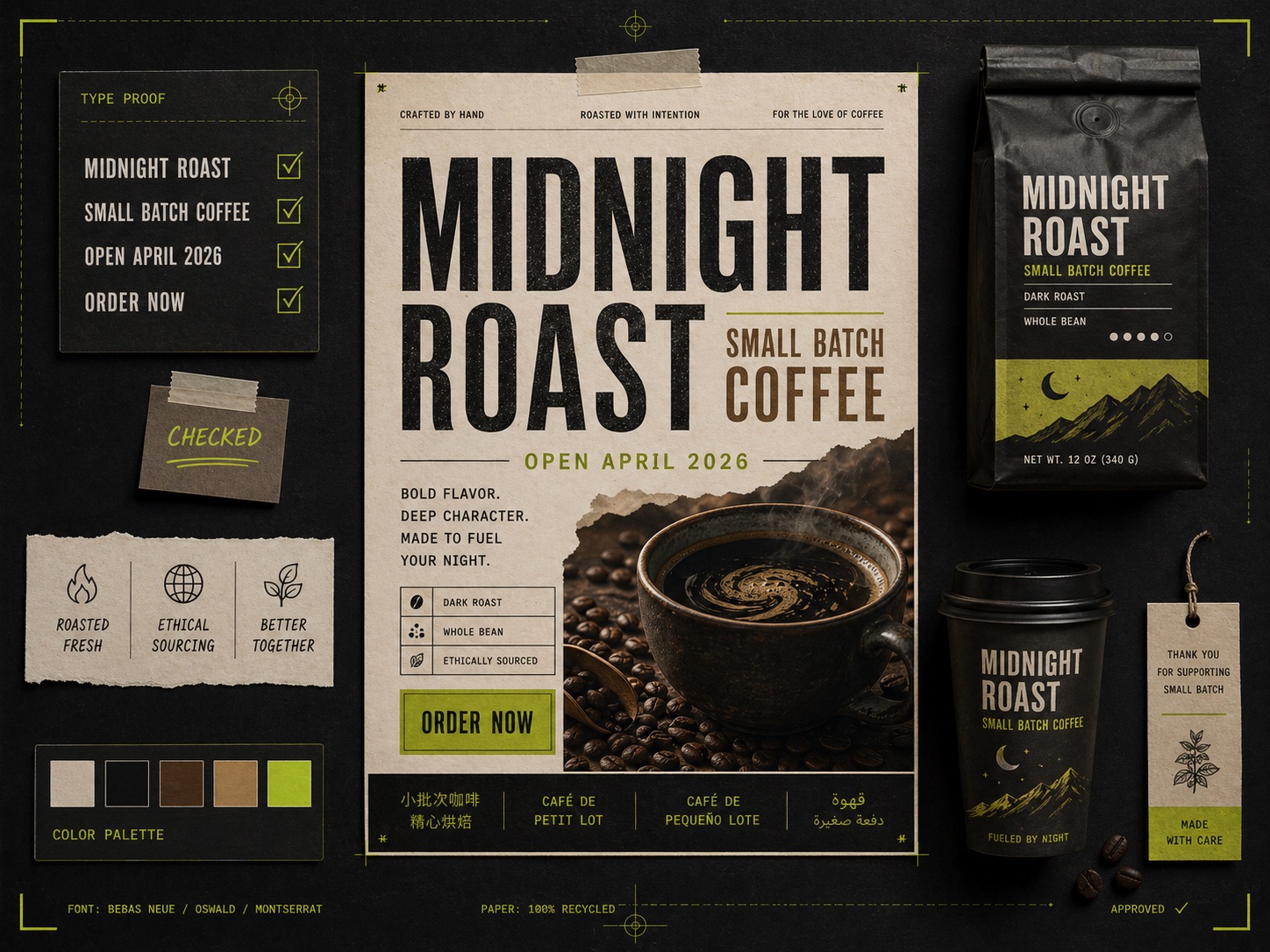
Accurate In-Image Text Rendering
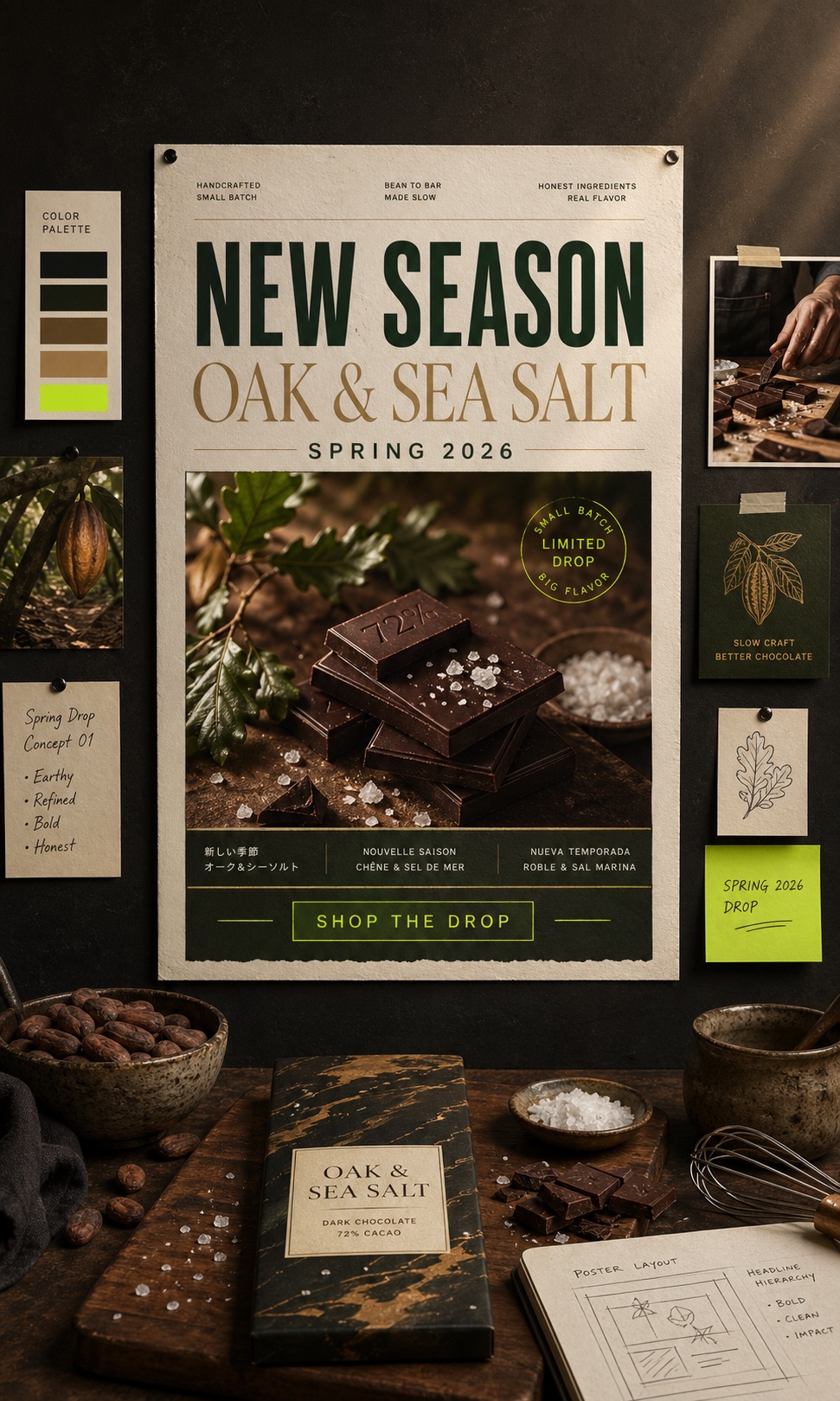
Render headlines, body copy, and 12-language scripts directly inside artwork at 95% accuracy. Print-ready typography that ships from the AI photo editor on the first pass, whether you generate or transform.
Multi-Reference Composition (Up to 9 Inputs)
Combine character, product, environment, palette, and style references in one transformation. The image-to-image engine fuses every input and keeps identity locked across the entire visual series.
05 · Why Image To Image
Why Designers Choose Image To Image
Image To Image gives designers granular control over the four hardest things in image-to-image work — faces, color, typography, and multi-reference composition. Every benefit ships from one workspace.
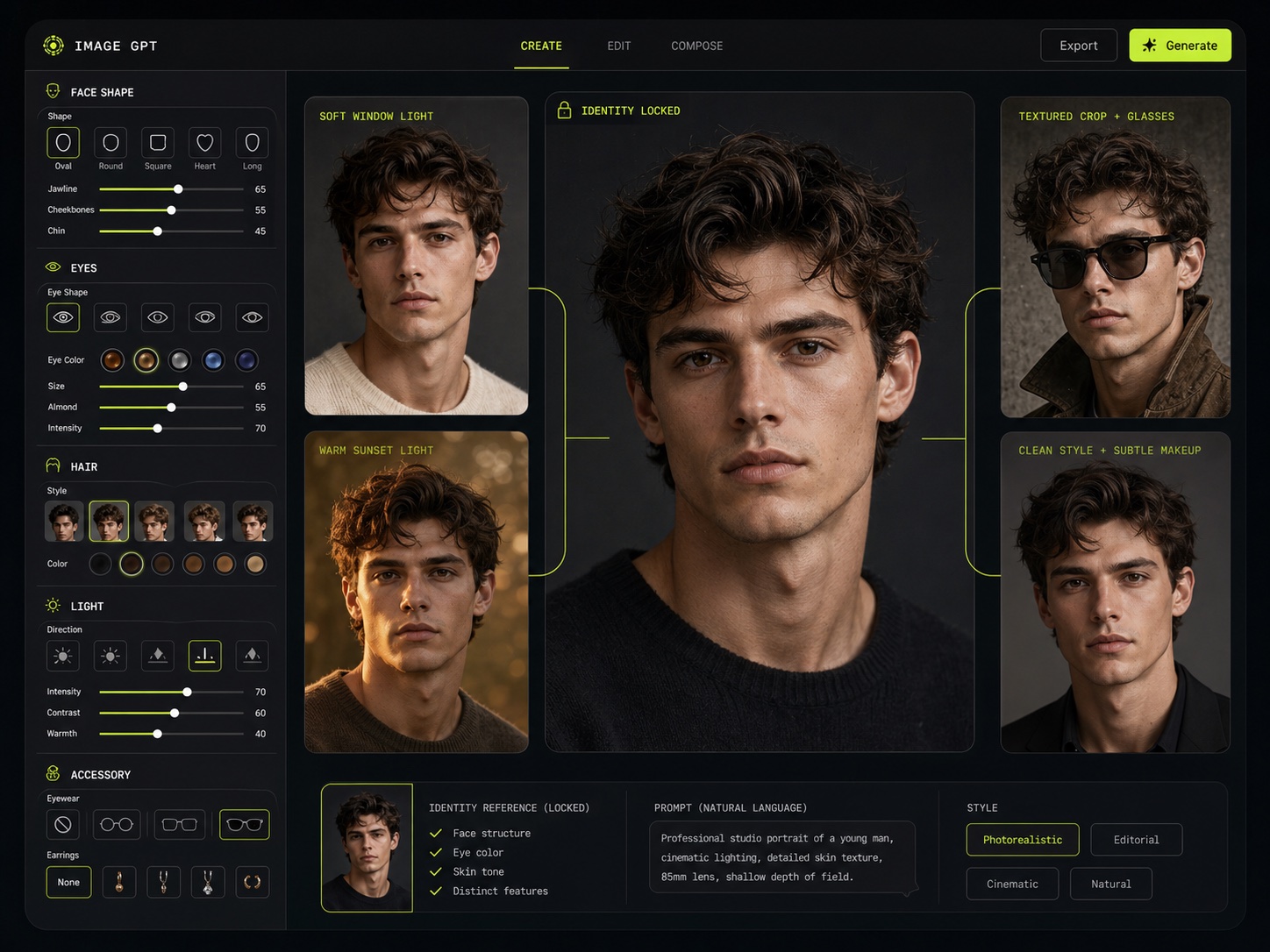
Identity-Locked Portrait Transformation
Upload a portrait and the AI photo editor restyles it with deliberate control: bone structure, eye geometry, facial contour, makeup, hair, and accessories — while the person stays recognizable. Avatar SDKs and beauty-imaging products get true image-to-image face control instead of the template-style output many generators ship by default.
It suits avatar products, retouching tools, and beauty-imaging workflows where the same uploaded face must transform coherently across thousands of variations. Designers shape portraits the way a director would brief a photographer — face shape, lighting, wardrobe, age — rather than regenerating prompts blindly until a result lands.
The workspace surfaces every portrait dial in the editor so a designer can iterate on a single facial feature without touching the rest of the photo.
Five steps from an uploaded photo to a finished 4K image-to-image transformation:
STEP 01
Open Image To Image
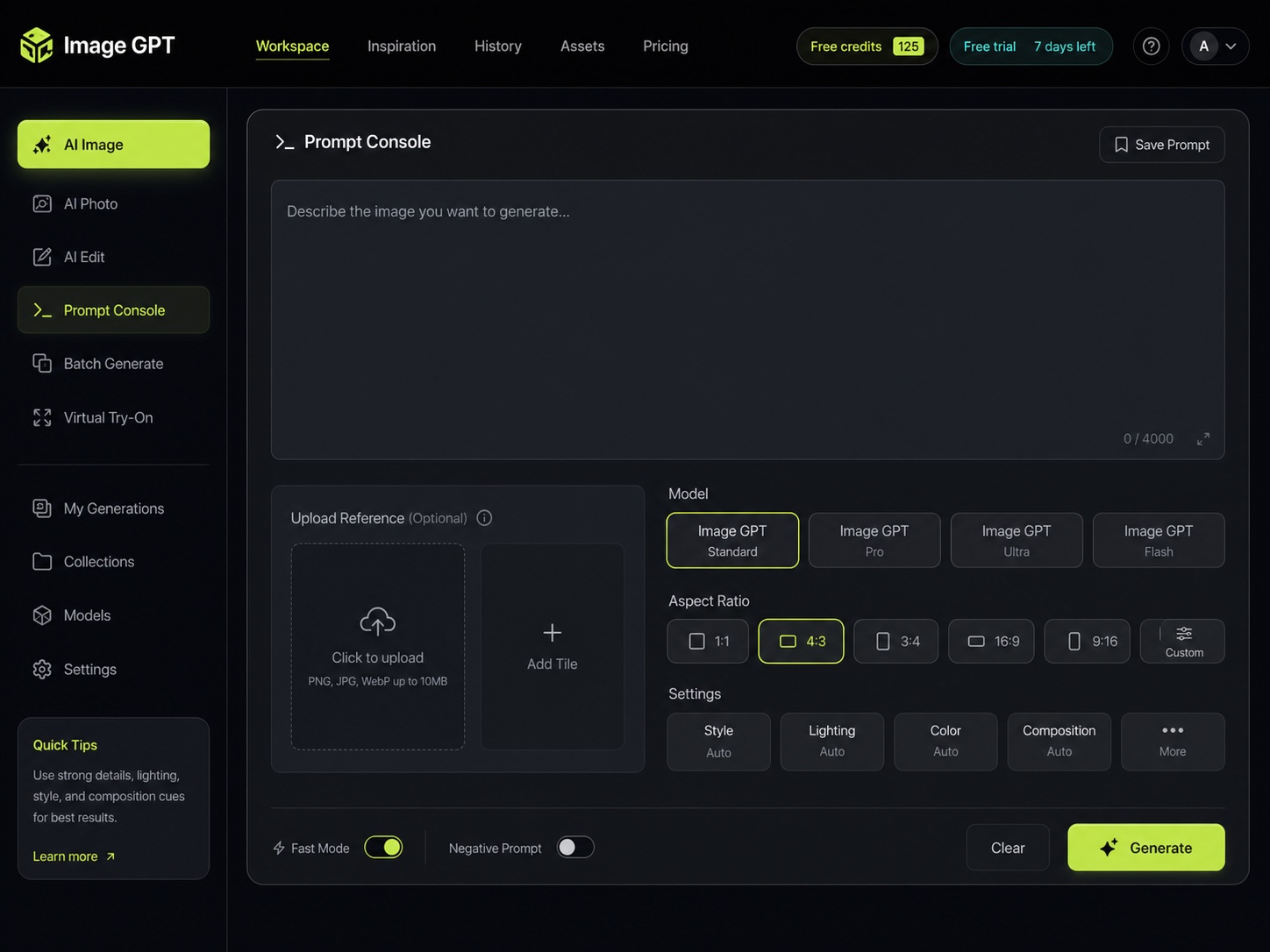
Sign in — free credits unlock immediately, no card required. Open the workspace and you're at the upload tile and prompt console.
STEP 02
Upload a Photo or Start From Text
One reference photo → restyle, inpaint, or transform with the image-to-image AI photo editor. Multiple references → compositor mode. Blank prompt → text-to-image generation. Switching is one click; the same engine handles every mode.
STEP 03
Describe the Transformation
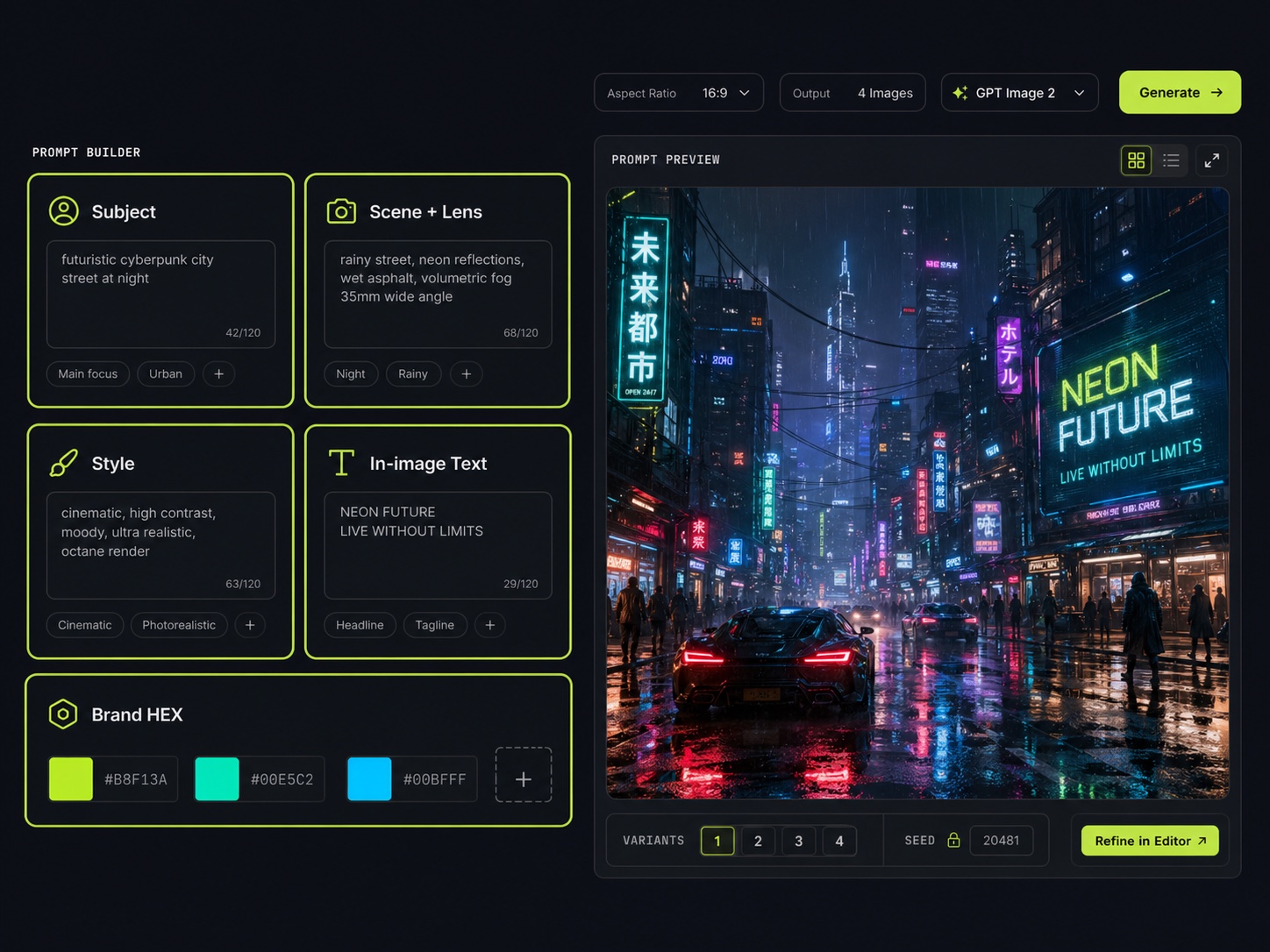
The structured template asks for subject, scene, lens & lighting, art style, and any in-image text. Add brand HEX codes for palette steering. Structured instructions unlock the full quality envelope in fewer iterations.
STEP 04
Compare a Batch, Pick the Winner
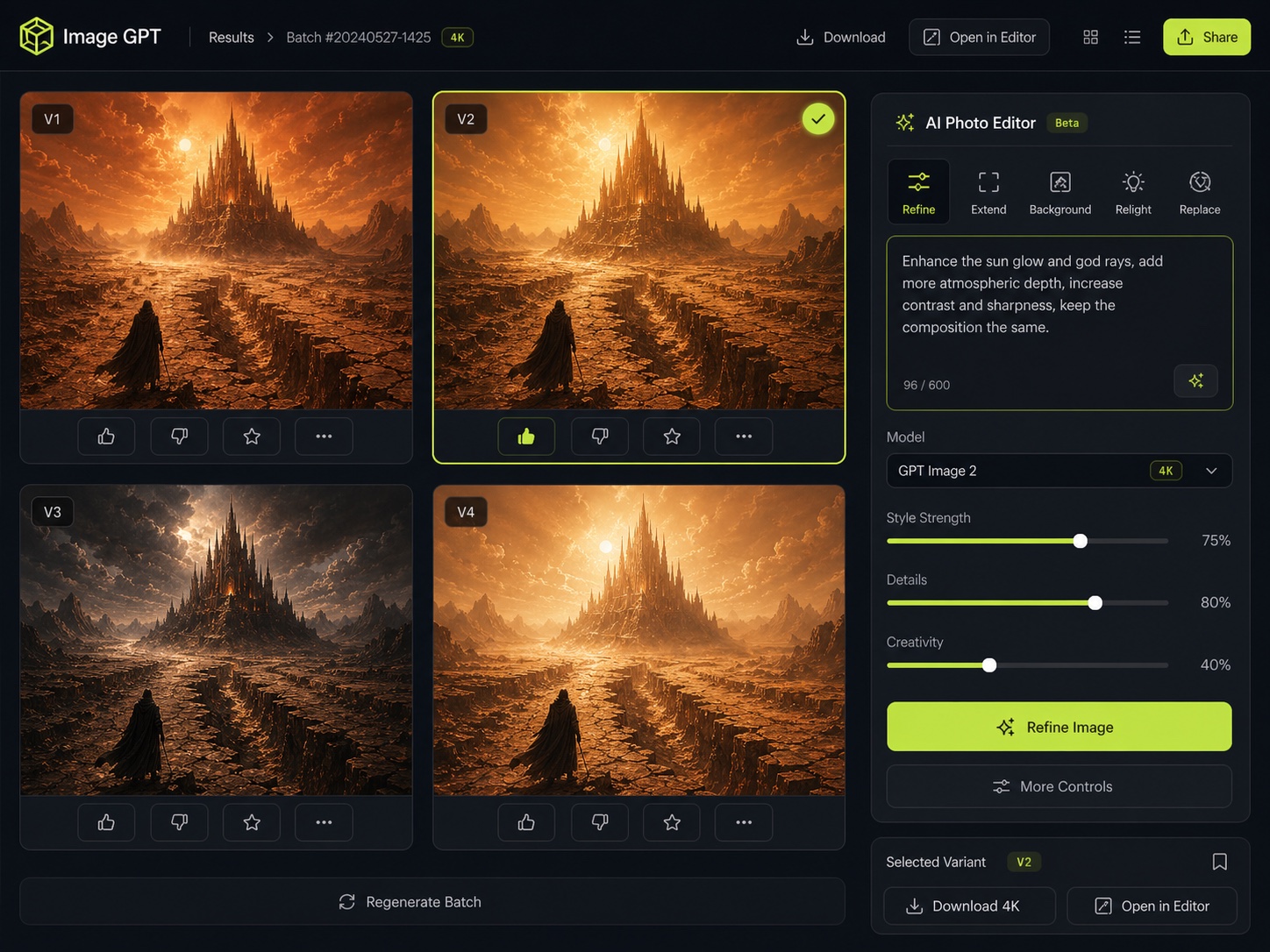
You get a batch of variants side-by-side. Click the strongest, then refine with natural-language tweaks in the AI photo editor — change one variable per turn so the result converges fast.
STEP 05
Export 4K and Reuse the Recipe
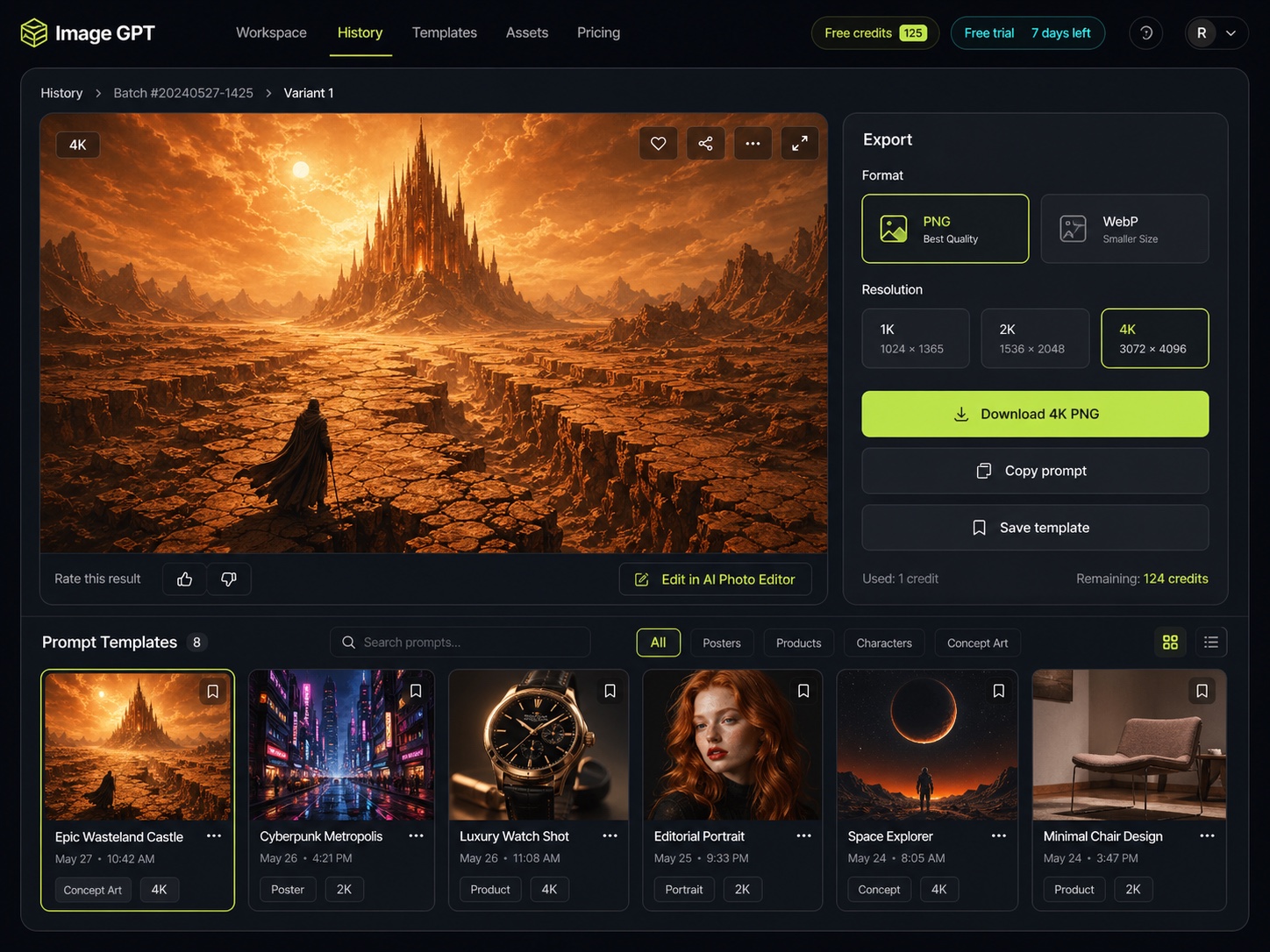
Download as PNG or WebP for posters, packaging, ads, or product listings. Save the transformation as a reusable template — the workspace stores your variants in history so the next project starts from a known-good baseline.
07 · Capabilities
Key Features of the Image To Image AI Photo Editor
Six capabilities Image To Image exposes for image-to-image work — photo transformation, style transfer, in-image typography, and multi-reference fusion, plus text-to-image, all in one workspace.
/01
Image-to-Image Transformation
Upload a photo and get a transformed 4K version back. Restyle, recompose, or reimagine while keeping the subject — no fine-tuning, no model shopping.
/02
Inline AI Photo Editor
Tell the AI photo editor what to change in plain English — it inpaints, restyles, swaps backgrounds, and extends canvas without manual masks.
/03
95% In-Image Text Rendering
Renders headlines and body copy across 12 languages with print-ready accuracy — posters, packaging, UI screenshots all included.
/04
4K Photorealistic Output
High-resolution 4K imagery with sharp detail and natural lighting — commercial-grade output from every transformation.
/05
Up to 9-Reference Fusion
Combine character, product, environment, style, and palette references in one pass — identity stays locked across an entire visual series.
/06
HEX-Based Palette Steering
Hand over a brand palette as HEX codes; the workspace honors the proportions in the final composition.
08 · By the numbers
Built for Production Image Editing
What the Image To Image AI photo editor delivers on every run.
4K
High-fidelity image output
9
Reference images per generation
~20s
Median Image To Image response time
Image To Image Pricing — annual, monthly, and one-time credit packages for the AI photo editor
09 · Pricing
Image To Image Pricing
Pick a credit budget that matches your team's image to image and AI photo editor usage.
/ Starter
Perfect for hobbyists and beginners
$9.9$19.9/month
credits6,000
Starter Yearly Plan
500 credits per month (6000 credits/year)
Up to 50 images/month
Image-to-image & AI photo editing
Unlimited downloads
6000 credits with annual billing
Permanent creation history
Commercial Use License
Most Popular
/ Studio
For teams and businesses
$44.9$89.9/month
credits72,000
Studio Yearly Plan
6000 credits per month (72000 credits/year)
Up to 600 images/month
Image-to-image & AI photo editing
Unlimited downloads
72000 credits with annual billing
Permanent creation history
Commercial Use License
/ Pro
For creators and professionals
$19.9$39.9/month
credits24,000
Pro Yearly Plan
2000 credits per month (24000 credits/year)
Up to 200 images/month
Image-to-image & AI photo editing
Unlimited downloads
24000 credits with annual billing
Permanent creation history
Commercial Use License
11 · Updates
Subscribe for Product Updates
Monthly briefings on new Image To Image capabilities, image-to-image improvements, AI photo editor workflows, and ready-to-use transformation templates — delivered when there's something worth your inbox.
12 · FAQ
Frequently Asked Questions About Image To Image
Common questions about the AI photo editor and image-to-image transformation tool. Anything missing? Reach out below.
Need more help?
Can't find what you're looking for? Contact our support team
Image to Image is a browser-based AI photo editor and image-to-image transformation tool. You upload a photo and it restyles it, swaps the background, fuses multiple references (up to 9 inputs), or applies natural-language edits — plus text-to-image generation up to 4K when you start from a blank prompt. Everything runs in one workspace with no API integration required.
Image-to-image means your existing picture is the starting point. Upload a source image, describe the change in plain English — a new art style, a different background, an added or removed object — and the engine generates a transformed version while keeping the parts you want to preserve. It's the fastest way to turn one photo into many on-brand variations.
Yes. Style transfer is a core image to image use case: upload a photo and ask the editor to repaint it as an oil painting, anime cel, watercolor, 3D render, or any reference style. The composition and subject stay intact while the entire look changes, so a single source shot becomes a full set of restyled images.
It accepts common formats including PNG, JPG, and WebP for your source upload, and exports up to 4K. Outputs are sharp enough for print campaigns, ecommerce hero imagery, and large-format display use. Lower resolutions are available when iteration speed matters more than detail.
It renders in-image text at 95% accuracy across 12 languages, whether you generate fresh or edit an uploaded layout. Long-form copy, headlines, multilingual scripts, infographics, and chart annotations all render cleanly on first pass — making it reliable for poster layouts, packaging mockups, and social ads.
Upload one or more reference images and describe your edit in plain language: remove an object, swap the background, restyle in another art direction, extend the canvas, or fuse multiple references into one composition. The AI photo editor handles localized inpainting and full-image restyles without manual masking.
The structured template asks for subject, scene/lens/lighting, art style, in-image text, and brand HEX codes. Upload your source, fill the slots, generate a batch, then refine by changing one variable per turn. Structured instructions converge on a strong image-to-image result far faster than freeform prompts.
Yes — images you transform or generate with the AI photo editor are usable in ads, packaging, ecommerce, client deliverables, and internal product use under standard subscription terms. Check the Terms of Use for the full legal framing.
Up to 9 input images per transformation. A typical campaign brief — product hero shot, two model poses, a backdrop, a style reference, a palette frame — fits in one pass. The image-to-image engine fuses every input in a single generation.
Use the image-to-image mode when you have an existing photo to restyle, edit, or composite with other references — this is what the editor is built for. Use text-to-image when you're starting from a description with no source image. Both modes share the same console, so switching is one click.
14 · Get started
Start Transforming with Image To Image
Upload a photo and transform it into 4K photorealistic visuals with the AI photo editor — image-to-image style transfer, edits, and reference fusion built for designers, marketers, and product teams.